Showing posts with label Hour of Code. Show all posts
Showing posts with label Hour of Code. Show all posts
Tuesday, March 29, 2016
Monday, December 7, 2015

Welcome to the Hour of Code 2015!!
Here are your choices on the laptops:
1. Write Your First Computer Program with Angry Birds, Plants vs. Zombies, & Ice Age
(2nd-5th, K-1st with assistance)
2. Minecraft Hour of Code
(2nd-5th, K-1st with assistance)
3. Star Wars: Building a Galaxy With Code
(2nd-5th, K-1st with assistance)
4. Code with Anna & Elsa
(3rd-5th)
5. Get Creative with Coding (Scratch)
(2nd-5th, K-1st with assistance)
6. Build Your Own Game (Tynker)
(2nd-5th, K-1st with assistance)
7. Lightbot
(2nd-5th)
8. Make Your Own Flappy Bird Game
(2nd-5th, K-1st with assistance)
9. Play Lab
(2nd-5th, K-1st with assistance)
10. Disney Infinity Play Lab
(2nd-5th, K-1st with assistance)
11. Code Monkey
(2nd-5th, K-1st with assistance)
12. Program a Virtual Robot
(3rd-5th)
13. Build a Game with JavaScript
(3rd-5th)
14. Code Combat
(3rd-5th)
15. Code Monster
(3rd-5th)
16. Barklay's Code Playground
(2nd-5th, K-1st with assistance)
You can also explore coding on the iPads using:
Daisy the Dinosaur
Bee-Bot
Cato's Hike
Move the Turtle
Lightbot
Code Kingdoms
Cargo-Bot
Hopscotch
Tynker
Hakitzu
Kodable Pro
LearnBinary
Have Fun!!
Monday, December 8, 2014
The Hour of Code is Here!

Welcome to the Hour of Code 2014!
Here are your choices on the laptops:
1. Write Your First Computer Program with Angry Birds, Plants vs. Zombies, & Ice Age
(2nd-5th, K-1st with assistance)
2. Code with Anna & Elsa
(3rd-5th)
3. Get Creative with Coding (Scratch)
(2nd-5th, K-1st with assistance)
4. Build Your Own Game (Tynker)
(2nd-5th, K-1st with assistance)
5. Lightbot
(2nd-5th)
6. Make Your Own Flappy Bird Game
(2nd-5th, K-1st with assistance)
7. Play Lab
(2nd-5th, K-1st with assistance)
8. Code Monkey
(2nd-5th, K-1st with assistance)
9. Program a Virtual Robot
(3rd-5th)
10. Build a Game with JavaScript
(3rd-5th)
11. Code Combat
(3rd-5th)
You can also explore coding on the iPads using:
Daisy the Dinosaur
Bee-Bot
Cato's Hike
Move the Turtle
Lightbot
Code Kingdoms
Cargo-Bot
Hopscotch
Tynker
Hakitzu
Kodable Pro
LearnBinary
Have Fun!!

Sunday, December 7, 2014
Monday, December 1, 2014
Thursday, February 27, 2014
February Is Almost Gone!
Last week, in 1st-5th grades, we brainstormed for the Doodle4Google contest. It was a lot of fun! The kids had some fantastic ideas on the given topic: "If I could invent one thing to make the world a better place ___________ ." We discussed inventions to help your family, your classroom, your city, animals, the environment, and the world. I hope that they continue to think about this topic, and maybe a couple of them will feel inspired enough to it a step further and create a "doodle" to submit to Google!

This week in 2nd-5th grades, we explored CMCS's online library site, as well as LAUSD's Digital Library. Both are excellent (and kid safe) resources for research. Most students weren't aware that LAUSD provides many "paid" sources FREE to all on its students. Links to both the CMCS online site (you will have to scroll down to find Community Magnet) and LAUSD's Digital Library are on the right. -->
We're getting serious about our typing. The students have had time to get used to Type to Learn 4, now, and some are really zooming ahead. Unfortunately, some are zooming without using proper "home row" typing position! This week I gave a "pop quiz" and tested kids to see if they could type without looking at the keyboard. Next week, if I find students who are still unable to at least find the "home row" keys, I will reset their accounts and they will have to take the pre-test again. (I have let them know about this.)

In addition to typing practice, in 1st grade we created and labeled shapes using Doozla. The students are getting better and better at using the tools in this art program to make their ideas come to life.
The kindergarteners tried two new math apps on the iPads: Meerkat Math and Math BINGO. They also had a little bit of "free choice" in the MATH folder. While many went back to math apps we have played before, Hydro Math and Math Zombies were also big hits.

We've been having lots of fun in our after school Coding Club. We did a computer-less graph paper coding project, and ON the computer we started an art coding activity which teaches kids to give specific commands to create images on the computer. In addition, we tried the fun Flappy Bird coding puzzle that code.org posted in honor of their 1-year anniversary. This activity is online and free! I posted a link to it on the right. -->

This week in 2nd-5th grades, we explored CMCS's online library site, as well as LAUSD's Digital Library. Both are excellent (and kid safe) resources for research. Most students weren't aware that LAUSD provides many "paid" sources FREE to all on its students. Links to both the CMCS online site (you will have to scroll down to find Community Magnet) and LAUSD's Digital Library are on the right. -->
We're getting serious about our typing. The students have had time to get used to Type to Learn 4, now, and some are really zooming ahead. Unfortunately, some are zooming without using proper "home row" typing position! This week I gave a "pop quiz" and tested kids to see if they could type without looking at the keyboard. Next week, if I find students who are still unable to at least find the "home row" keys, I will reset their accounts and they will have to take the pre-test again. (I have let them know about this.)
In addition to typing practice, in 1st grade we created and labeled shapes using Doozla. The students are getting better and better at using the tools in this art program to make their ideas come to life.
The kindergarteners tried two new math apps on the iPads: Meerkat Math and Math BINGO. They also had a little bit of "free choice" in the MATH folder. While many went back to math apps we have played before, Hydro Math and Math Zombies were also big hits.
We've been having lots of fun in our after school Coding Club. We did a computer-less graph paper coding project, and ON the computer we started an art coding activity which teaches kids to give specific commands to create images on the computer. In addition, we tried the fun Flappy Bird coding puzzle that code.org posted in honor of their 1-year anniversary. This activity is online and free! I posted a link to it on the right. -->
Friday, January 10, 2014
Happy New Year!

Welcome Back!
I'm looking forward to a fun and exciting second semester in the Technology Lab!
We are going full steam ahead with our new typing program: Type To Learn 4. If you would like your child to be able to log in from home, please click on the TTL4 link -- to the right -- to download the program to your home computer. (Our Account Code is: 152721.)
I received a lot of positive feedback about the Hour of Code we did in December, and many of you have asked how the kids can do more. The good news is that you have a bunch of options:
All of the Hour of Code activities are still available online, for FREE. I've put the links in the "Quick Links" section to the right.
Scratch programming is part of my curriculum for 3rd-5th grades this year. We will probably start sometime after Spring Break.
There are also a number of online, after-school, weekend, and summer coding programs available for kids. Below is a partial list:
CMCS Coding & Computer Animation Club -- at Community (after school program)
Join me on Wednesdays after school (starting 1/22) and learn to code in this fun and educational program. Based on the curriculum designed by code.org, students will engage in exciting and creative coding activities similar to our December Hour of Code. For more information, or to sign up, please contact Martha Melinda in Community's after-school program..
CoderDojo -- Various Locations (weekend classes)
KidsCanCode -- Various Locations (many program options)
iDTech Camp -- UCLA (Summer Program)
Digital Arts & Media Academy -- UCLA (Summer Program)
Planet Bravo's Techno-Tainment Camp -- Various Locations (Summer Program)
Codecademy -- Online Program
Code School -- Online Program
Khan Academy -- Online Program
Turtle Academy -- Online Program
Scratch -- Online Program
Code Monster -- Online Program
Hackety Hack -- Online Program
If you know of a good coding program for kids, please let me know and I will add it to my list!
Wednesday, December 11, 2013
So Much Fun
The kids have been having a great time with the Hour of Code activities this week, and many of them have asked it there was a way to do more at home. The answer is "Yes!"
The best introductory activity is Write Your First Computer Program. This uses Blockly code blocks and graphics from Angry Birds and Plants vs. Zombies to get kids started coding.
Once they finish all 20 levels of that activity, they should be ready to tackle the Build Your Own Game and Create an Animated Card activities.
Here is the basic intro video:
The best introductory activity is Write Your First Computer Program. This uses Blockly code blocks and graphics from Angry Birds and Plants vs. Zombies to get kids started coding.
Once they finish all 20 levels of that activity, they should be ready to tackle the Build Your Own Game and Create an Animated Card activities.
Here is the basic intro video:
Monday, December 9, 2013
Sunday, December 8, 2013
Saturday, December 7, 2013
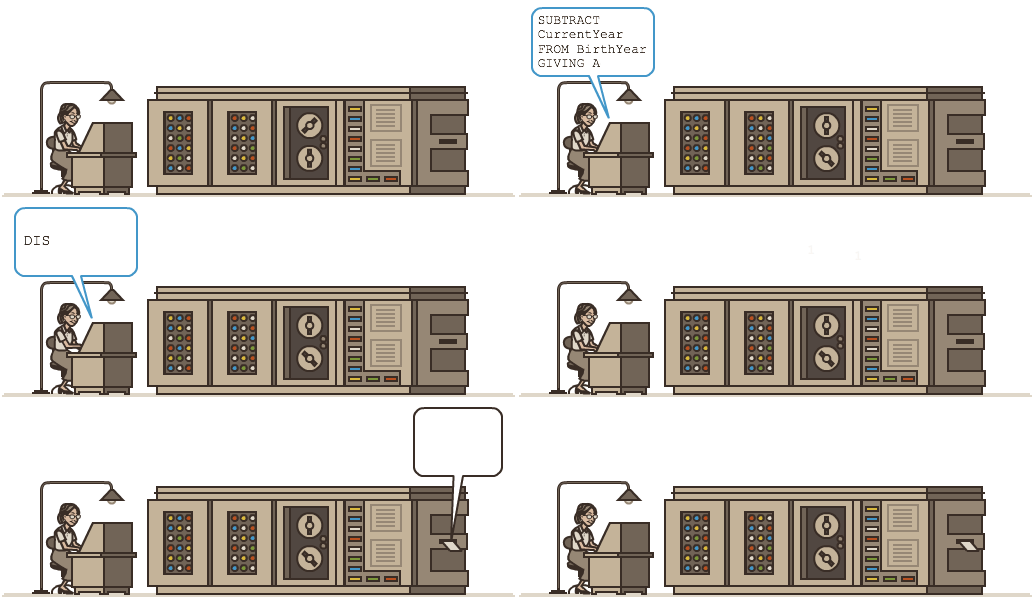
The Hour Of Code is Coming!

We have an exciting week coming up in the Technology Lab: Next week all Community students will be participating in a worldwide initiative called the Hour of Code!
You can read about the Hour of Code here. For even more information you can visit the Hour of Code website.

Wednesday, November 20, 2013
Happy (almost) Thanksgiving!
I can't believe it's already (almost) Thanksgiving! I've been trying to cram as much as I possible into this week because I won't see the students again until December!
The 1st graders are taking a break from math practice and are getting creative on the computer! This week we are making art with Doozla, an easy to use drawing program designed specifically for kids. It allows students to use a variety of simple tools to create fun art on screen. In addition to their pictures, the 1st graders wrote a sentence about their work, doing their best to use their typing skills outside of a typing program!
 2nd grade continued to work on our MS Word formatting activity, and 3rd graders have been having a great time working with our 30 day free trial of Type To Learn 4. Each student has their own account, which enables them to work at their own pace on the lesson and games for each level. If we end up adopting this program school-wide, students will also be able to access their accounts from home!

In addition to their ongoing work familiarizing themselves with their LAUSD online student accounts, the 4th and 5th graders were given their first real PowerPoint project this week: Unsolved Mysteries. Each student will choose a "mystery" to research -- I have given them a list -- and will create a presentation based on what they find. This should be a lot of fun, and will really allow them to become comfortable using the many features of PowerPoint. (Although they may do research at home, they will be given time to research in class.)
I'm getting excited about Computer Science Education Week -- December 9th-15th -- and have already pledged to participate in the Hour of Code with our students! More details soon. :-)
Happy Thanksgiving!

The 1st graders are taking a break from math practice and are getting creative on the computer! This week we are making art with Doozla, an easy to use drawing program designed specifically for kids. It allows students to use a variety of simple tools to create fun art on screen. In addition to their pictures, the 1st graders wrote a sentence about their work, doing their best to use their typing skills outside of a typing program!
In addition to their ongoing work familiarizing themselves with their LAUSD online student accounts, the 4th and 5th graders were given their first real PowerPoint project this week: Unsolved Mysteries. Each student will choose a "mystery" to research -- I have given them a list -- and will create a presentation based on what they find. This should be a lot of fun, and will really allow them to become comfortable using the many features of PowerPoint. (Although they may do research at home, they will be given time to research in class.)
I'm getting excited about Computer Science Education Week -- December 9th-15th -- and have already pledged to participate in the Hour of Code with our students! More details soon. :-)
Happy Thanksgiving!
Subscribe to:
Comments (Atom)